5 Common Smart Home Mistakes Beginners Make (and How to Avoid Them)
Avoid app sprawl, incompatible wireless protocols, and frustrating automations by avoiding these five frequent beginner pitfalls.

Building a smart home should make daily life simpler and more comfortable. Yet many people end up with a confusing mess of disconnected phone apps, unresponsive schedules, and frustrated family members who prefer plain old wall switches.
The good news is that almost all smart home frustration stems from a handful of predictable beginner errors. By recognizing these five common pitfalls early, you can save money and build a rock solid setup from day one.
[!WARNING] 5 Beginner Mistakes at a Glance:
- Buying Random Hardware on Sale: Accumulating gadgets across incompatible radio standards.
- App Sprawl: Juggling ten different mobile apps instead of standardizing on one main dashboard.
- Ignoring Physical Wall Controls: Making lights impossible to control without a smartphone.
- Over-Complicating Automations: Building fragile multi-condition rules that break constantly.
- Skipping Local Control Protocols: Relying 100% on cloud servers for basic light switching.
1. Buying Random Hardware Just Because It Is on Sale
The single biggest mistake newcomers make is buying discounted smart plugs, light bulbs, or security cameras purely based on sale prices without checking how they connect to their existing setup.
You might end up with two Wi-Fi plugs that only work with one brand app, a Zigbee motion sensor that requires a proprietary hub, and a Bluetooth light strip with limited wireless range. Six months later, none of these gadgets can talk to each other.
The Fix
Before buying any device, check its wireless protocol (Matter, Thread, Zigbee, or Wi-Fi) and verify that it natively integrates with your primary central ecosystem.
2. Falling Into the App Sprawl Trap
When every smart device you own requires its own separate smartphone app for daily control, your smart home quickly becomes inconvenient. Opening an app, navigating menus, and waiting for a cloud connection just to turn on a living room lamp takes far longer than walking across the room to press a physical button.
The Fix
Designate one single primary application (such as Apple Home, Google Home, Amazon Alexa, or Home Assistant) as your daily control dashboard. Use manufacturer apps only for initial device firmware updates, then perform all daily controls and scheduled routines inside your primary main hub app.
3. Disabling Physical Controls for Family and Guests
A smart home should be intuitive for everyone in the house, including kids, house sitters, and visiting grandparents. If turning on the kitchen lights requires opening a specific smartphone app or remembering a precise voice command, your setup has failed the basic usability test.
The Fix
Always maintain intuitive physical control options. Use smart wall switches or battery powered wireless buttons mounted near doorways so anyone can push a real button to turn lights on or off. Keep smart automation running smoothly in the background while leaving manual wall controls completely accessible.
4. Over-Complicating Automation Rules
When people discover the power of home automation, it is tempting to build intricate routines with dozens of nested conditions. For example, setting hallway lights to turn on only if motion is detected, the sun is down, the TV is playing, and your phone is connected to Wi-Fi.
The problem with complex chains is that if one sensor battery dies or one network packet drops, the entire automation fails quietly, leaving you wondering why your lights did not turn on.
The Fix
Keep automations simple and reliable. Start with clear single trigger and single action routines, such as turning on entryway lights when the front door contact sensor opens after sunset. Master simple routines before adding multi-layered rules.
5. Over-Relying on Cloud-Dependent Devices
Cheap Wi-Fi smart devices often rely entirely on remote manufacturer cloud servers to process commands. When your home internet service has a temporary hiccup, or when a manufacturer shuts down its cloud infrastructure, your smart devices stop working entirely.
The Fix
Prioritize devices that support local control protocols like Matter over Thread, Zigbee, or local Z-Wave. Local control ensures that your light schedules, motion triggers, and wall switches continue operating instantaneously even if your main internet connection goes offline.
Frequently Asked Questions
What should I do if I already bought mismatched smart devices?
Try bridging them using a universal Matter controller or a flexible local server platform like Home Assistant, which can unify disparate wireless protocols into a single management interface.
Is Wi-Fi bad for smart home devices?
Wi-Fi is fine for a few high bandwidth devices like video doorbells and security cameras. However, for dozens of lights, plugs, and battery sensors, dedicated mesh protocols like Thread or Zigbee offer much better reliability and lower power consumption.
Double Check Compatibility Before You Order
Want to avoid buying gadgets that will not work with your hub?
Run any product through our free Compatibility Checker to verify protocol compatibility, hub requirements, and radio support in under 30 seconds.
Recommended Hardware for This Setup
Top-rated, verified smart home devices matching the recommendations in this guide.

Zemismart Matter Thread Zigbee Gateway with IR Control Smart Home Bridge Hub Sup...

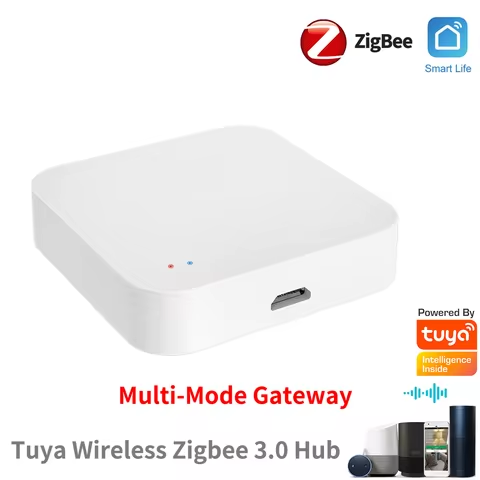
ZigBee 3.0 Smart Gateway Hub Wireless Bridge EWeLink APP Smart Home Automation W...