Do You Actually Need a Smart Home Hub in 2026?
With Matter and Wi-Fi devices everywhere, do you still need a central smart home hub? Here is a practical breakdown of when a hub is essential and when you can skip it.
When building a smart home, the very first question most people face is whether they need to buy a central hub. Five years ago, the answer was always yes, because every smart bulb and door sensor required its own proprietary plastic bridge plugged into your router.
Today, with Wi-Fi gadgets everywhere and the universal Matter standard established, the hub landscape has changed significantly. You can run many basic gadgets without a dedicated hub, but skipping a hub entirely creates serious hidden drawbacks once your setup grows beyond a few lights.
[!IMPORTANT] Quick Summary:
- Skip a Hub if: You only want to control 2 to 4 Wi-Fi smart plugs or bulbs from your smartphone app, and you do not care about out-of-home remote control or multi-device routines.
- Get a Hub if: You want door sensors to trigger lights automatically, want local response speed under 50 milliseconds, or plan to install smart deadbolts and low-power Thread sensors.
1. What a Smart Home Hub Actually Does
A smart home hub acts as the brain and translation center for your connected devices. It handles three vital jobs:
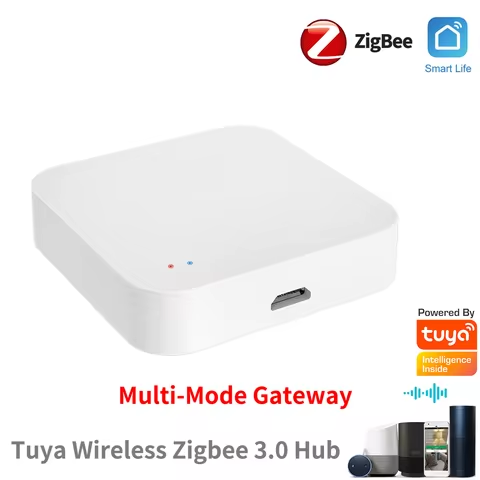
- Protocol Translation: It houses radio antennas for non Wi-Fi signals like Thread, Zigbee, or Z-Wave, allowing battery powered sensors to talk to your network.
- Local Automation Logic: It stores your schedules and automation rules directly on device memory, executing commands instantly even if your home internet connection goes down.
- Secure Remote Access: It creates a encrypted tunnel so you can check camera streams or lock your front door while away from home without opening risky firewall ports.
Without a central hub, every smart device talks independently over your home Wi-Fi directly to remote cloud servers operated by different manufacturers.
2. When You Can Safely Skip Buying a Hub
You can easily skip buying a dedicated hub if your smart home goals are small and straightforward.
If your entire setup consists of three Wi-Fi smart plugs for living room lamps and a Wi-Fi video doorbell, the standalone phone apps provided by those brands are completely sufficient. You can control lights using phone widgets or link them directly to a free voice assistant app on your phone.
For simple setups in a single room or small studio apartment, avoiding a hub saves initial money and keeps installation ultra simple.
3. Why Hubs Remain Essential for Real Automation
As soon as you move from manual phone control to true hands-free automation, the limitations of hubless Wi-Fi setups become apparent.
Battery Life for Sensors and Door Locks
Wi-Fi radios consume a large amount of battery power. A Wi-Fi door sensor would drain its battery in a couple of weeks if left active. Low power protocols like Thread and Zigbee allow tiny magnetic contact sensors and smart deadbolts to operate on a single coin cell battery for up to two years. To receive signals from those battery devices, you must have a hub or Thread Border Router.
Instant Response Speed
When a motion sensor detects movement, you want hallway lights to turn on instantly. On a hubless Wi-Fi setup, that signal travels from the sensor to your router, up to a cloud server across the country, back to your router, and finally to the light bulb. That loop often takes two to four seconds.
A local hub processes the signal right inside your living room, turning the light on in under 50 milliseconds.
Multi-Device Coordination
If you want one wall switch to dim lights, lower window blinds, and lock the front door simultaneously, a hub coordinates those actions in one clean motion. Without a hub, multi-brand routines become sluggish and unreliable.
4. Modern Hubs Are Already Hiding in Devices You Own
Here is the good news for 2026: you might already own a fully capable smart home hub without realizing it.
Modern smart speakers, smart displays, and streaming boxes now include built-in Thread Border Routers and Matter controllers. For instance, an Apple HomePod mini, an Amazon Echo 4th Gen, or a Nest Hub 2nd Gen all function as central hubs.
If you already own one of these modern smart speakers, you already have a hub ready to anchor your home network.
Frequently Asked Questions
What is the difference between a hub and a bridge?
A hub coordinates automations and manages devices across multiple protocols. A bridge is usually a manufacturer specific adapter designed to connect one brand of lights or sensors to your home network.
Will my automations still work if the internet goes down?
If your automations are anchored by a local hub using Thread, Zigbee, or Matter, local routines like motion lighting will continue working during an internet outage. Cloud dependent Wi-Fi devices will temporarily stop responding.
Calculate Your Starter Kit Budget
Explore our comprehensive Smart Hubs & Protocols Pillar Guide, or use our free Smart Home Builder tool to calculate an itemized, fully compatible hardware package tailored to your exact budget floor in under 60 seconds!
Recommended Hardware for This Setup
Top-rated, verified smart home devices matching the recommendations in this guide.

Zemismart Matter Thread Zigbee Gateway with IR Control Smart Home Bridge Hub Sup...

ZigBee 3.0 Smart Gateway Hub Wireless Bridge EWeLink APP Smart Home Automation W...